

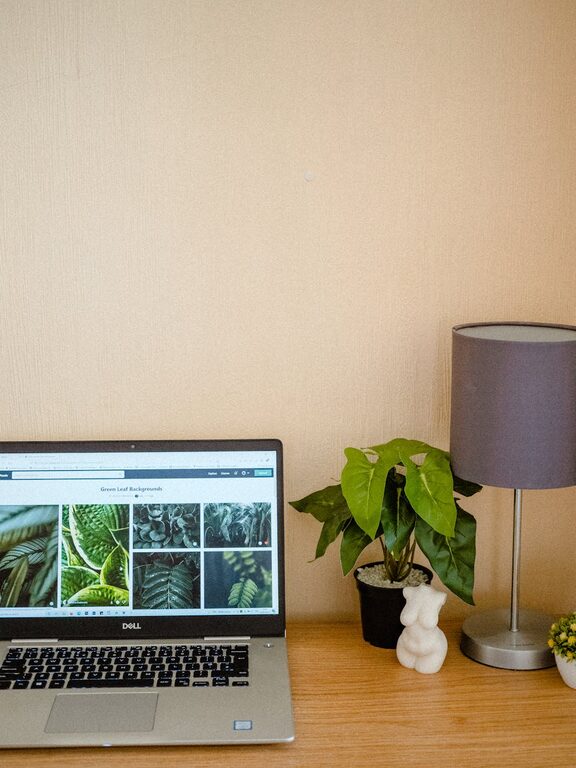
Creating a productive home office environment is essential for anyone who works from home or spends a significant amount of time on personal projects. The right setup can help you stay focused, comfortable, and motivated throughout the day. Whether you have a dedicated room or just a small corner in your living space, there are many ways to optimize your workspace for maximum productivity. In this post, we’ll explore useful tips and ideas to help you create an efficient and pleasant home office environment.
Choose the Right Location
Selecting the right spot for your home office is the first and most important step. Ideally, your workspace should be:
– Quiet and Free from Distractions: Choose a room or area where noise and interruptions are minimal.
– Well-Lit: Natural light helps reduce eye strain and boosts mood, so find a space near a window if possible.
– Close to Resources: Make sure you have easy access to power outlets, internet connectivity, and any other tools you might need.
If a separate room isn’t available, consider setting up a flexible corner with a foldable desk or a compact workstation.
Invest in Ergonomic Furniture
Comfort is key when you spend hours working at a desk. Ergonomic furniture supports good posture, reduces muscle strain, and helps prevent fatigue.
– Ergonomic Chair: Look for a chair with adjustable height, good lumbar support, and comfortable cushioning.
– Desk Height: Your desk should be at a height where your elbows are at about a 90-degree angle when typing.
– Footrest and Accessories: Consider adding a footrest or a keyboard tray to enhance comfort.
Taking time to find furniture suited to your body and work style can improve your focus and health over time.
Organize Your Workspace
Clutter can be a major productivity killer. Keeping your home office organized helps clear your mind and saves time looking for items.
– Declutter Regularly: Remove unnecessary items from your desk and drawers.
– Use Storage Solutions: Shelves, drawers, and filing cabinets help keep papers and supplies neatly stored.
– Desk Essentials Only: Keep only what you need daily on your desk, such as your computer, notebook, and a few pens.
Label storage containers or use baskets to group similar items. This makes tidying up faster and reduces visual distractions.
Optimize Lighting
Good lighting is crucial for reducing eye strain and maintaining alertness.
– Natural Light: Maximize daylight by positioning your desk near windows but avoid glare on your screen.
– Task Lighting: Use desk lamps with adjustable brightness for focused work.
– Warm vs. Cool Light: Cooler (white) light is often better for concentration, while warmer light creates a relaxing atmosphere for breaks.
Make sure your workspace is evenly lit, and avoid working in dim or harsh lighting conditions.
Minimize Digital Distractions
Technology is helpful but can also divert your attention.
– Notification Management: Turn off non-essential notifications on your computer and phone.
– Use Focus Tools: Apps and browser extensions can block distracting websites during work hours.
– Dedicated Work Devices: If possible, use separate devices for work and leisure to reinforce boundaries.
Creating digital boundaries helps maintain concentration and reinforces your work routine.
Personalize Your Space
Adding personal touches to your office can make it more inviting and motivating.
– Decor: Photos, artwork, or plants can brighten your space and improve mood.
– Inspiration: Display quotes, vision boards, or goals that inspire you.
– Comfort Items: Include cushions, a cozy blanket, or a water bottle for convenience.
Balance personalization with maintaining a professional and tidy look.
Establish a Routine and Boundaries
A productive home office is not just about physical space but also about habits.
– Set Work Hours: Define your start and end times to create separation between work and personal life.
– Breaks: Schedule regular breaks to stretch, walk, or relax your eyes.
– Communicate Boundaries: Let family or housemates know your working times to minimize disruptions.
A consistent routine helps your brain associate the workspace with productivity.
Ensure Proper Technology Setup
Reliable technology is foundational for remote work productivity.
– High-Speed Internet: A stable and fast connection prevents frustrating interruptions.
– Backup Plans: Have alternatives like a hotspot or secondary device in case of tech issues.
– Ergonomic Accessories: Consider wireless keyboards, mice, and headsets that improve comfort and movement.
Keep your software updated and organize cables to avoid clutter and technical difficulties.
Maintain Clean Air and Comfort
Physical comfort affects focus and well-being.
– Air Quality: Ventilate your workspace or use an air purifier for fresh air.
– Temperature Control: Maintain a comfortable room temperature and use fans or heaters as needed.
– Hydration and Snacks: Keep water and healthy snacks nearby to stay energized.
A comfortable environment minimizes distractions and supports sustained work hours.
—
By thoughtfully designing your home office with these tips, you can create a space that supports productivity, comfort, and creativity. Remember, the key is to tailor your environment to your needs, making adjustments as you discover what works best for you. A well-planned home office turns remote work into a rewarding and efficient experience.