

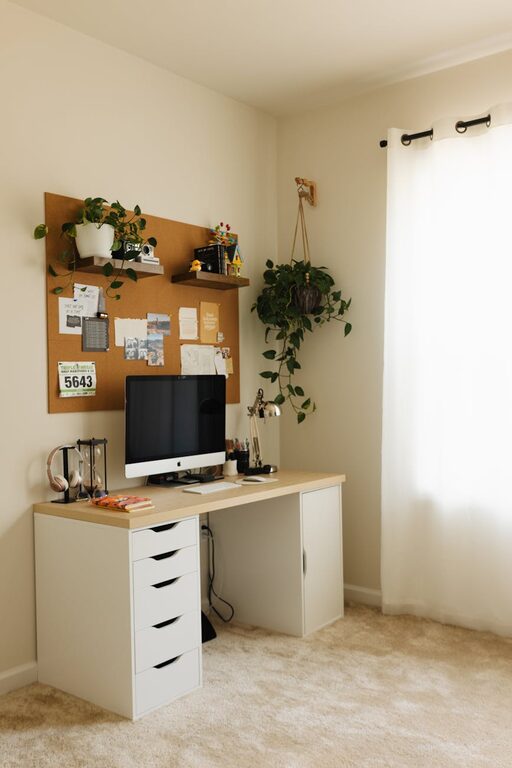
Creating a cozy and productive home workspace is essential for anyone who spends a significant amount of time working from home. A well-designed workspace not only enhances focus and efficiency but also contributes to your overall comfort and well-being. In this post, we’ll explore practical tips to help you build a space that feels inviting and encourages productivity.
Choose the Right Location
The first step is selecting an ideal spot in your home for your workspace. Consider the following:
– Natural Light: Try to position your desk near a window to benefit from natural light. It helps reduce eye strain and boosts mood.
– Quiet Environment: Choose a location away from noisy areas like the kitchen or TV room to minimize distractions.
– Space Availability: Even a small nook can work as long as it has enough room for your essentials like a desk, chair, and storage.
Invest in Comfortable Furniture
Comfort plays a key role in productivity and health. Good furniture can make a big difference:
– Ergonomic Chair: Select a chair that supports your back and encourages good posture.
– Appropriate Desk: Choose a desk that fits your space and suits your work style. Adjustable desks are great if you want to alternate between sitting and standing.
– Consider Accessories: Items like a footrest or wrist support can increase comfort.
Organize Your Workspace Efficiently
A clutter-free and organized desk helps maintain focus and reduces stress. Try these organization tips:
– Limit Desk Items: Keep only the essentials on your desk — computer, notebook, pens.
– Use Storage Solutions: Bins, shelves, or drawer organizers help keep paperwork and supplies tidy.
– Cable Management: Use clips or cable boxes to avoid tangled cords.
Add Personal Touches
When your workspace reflects your personality, it becomes more inviting. Here are some ways to add warmth:
– Decor: Artwork, pictures, or plants can brighten the room and make it feel more comfortable.
– Colors: Use colors that soothe and inspire you. Soft blues and greens promote calm, while yellow accents can boost energy.
– Lighting: Include a desk lamp with warm light for a cozy atmosphere, especially in the evening.
Minimize Distractions
Staying focused is easier if your workspace has fewer interruptions:
– Set Boundaries: If you share your home, make sure others know your work hours to reduce disturbances.
– Noise Control: Consider noise-canceling headphones or white noise machines if background noise is an issue.
– Digital Declutter: Turn off non-work notifications on your devices during work sessions.
Prioritize Good Air Quality and Temperature
Your physical environment influences your comfort and concentration:
– Ventilation: Ensure your workspace has proper airflow.
– Plants: Houseplants can improve air quality and add a refreshing element.
– Temperature Control: Adjust heating, cooling, or fans to maintain a comfortable temperature.
Plan Break Areas Nearby
Having a designated spot to take short breaks helps refresh your mind:
– Comfortable Seating: A cozy chair or cushion in another part of the room invites you to relax.
– Break Activities: Keep books, puzzles, or a cup of tea nearby for rejuvenating breaks.
Establish a Routine
Creating a daily schedule can maximize your productivity:
– Set Work Hours: Define when your workday starts and ends to maintain balance.
– Organize Tasks: Use to-do lists or planners to stay on track.
– Incorporate Breaks: Take short, regular breaks to prevent burnout.
Keep Technology User-Friendly
Reliable and easy-to-use technology enhances your work efficiency:
– Good Internet Connection: Ensure your Wi-Fi is strong and stable.
– Quality Equipment: Invest in a comfortable keyboard, mouse, and maybe a second monitor if needed.
– Maintenance: Regularly update software and keep your devices clean.
Final Thoughts
Designing a cozy and productive home workspace is a personal process that balances comfort and function. By focusing on lighting, ergonomics, organization, and minimizing distractions, you can create a space that supports your work and well-being. Remember to tailor your setup to your preferences and update it as your needs change over time. A thoughtfully designed workspace not only helps you stay productive but also makes working from home a more enjoyable experience.